
A logo in tracking gives you the option of showing your brand in our tracking solution when your customers track their parcels. It is also easier for the recipient to find the right parcel in the app.
Prerequisites:
- A logo in PNG, GIF or JPG format with a file size of less than 500kb. We recommend using a square logo, otherwise it will have to be cropped
- The Mybring account with administrator access to the customer number for which you want to upload the logo.
This is what you do:
Log in to Mybring by accessing www.mybring.com.
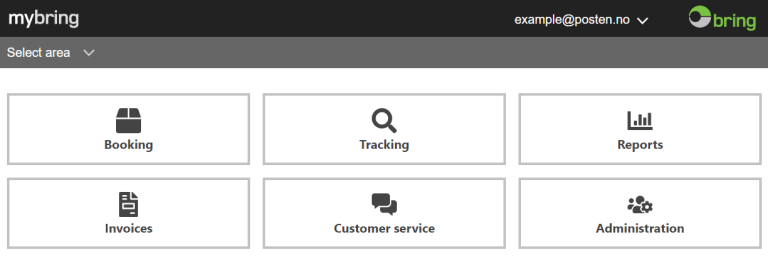
When you have logged in, select "Administration" from the homepage. Click on "Your customer numbers" and select the customer number for which you want to upload a logo. Some customers have multiple customer numbers. If you send parcels from multiple customer numbers, you can upload logos for each one.
When you open the customer number, this screen will be displayed:
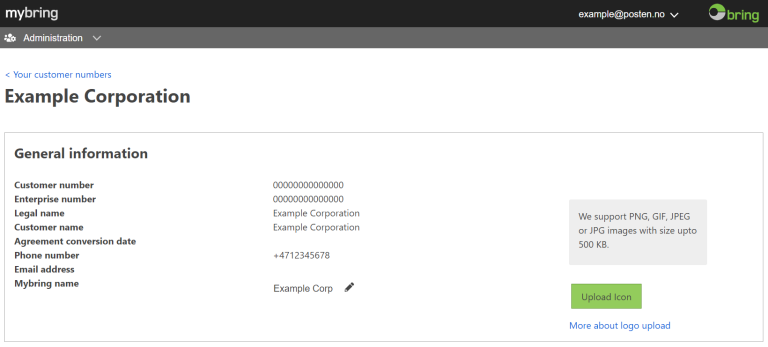
Select "Upload", then identify your logo file and upload it to our website. This then displays a screen that allows you to zoom in or out and crop your image:
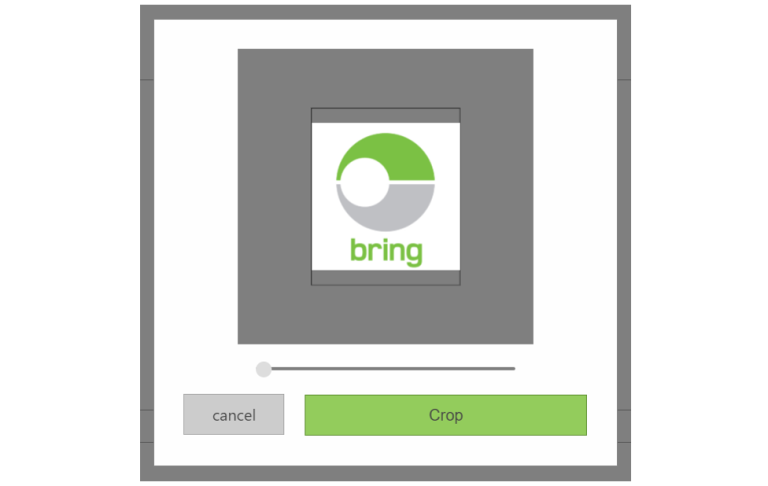
When you are happy with your selection, click "Crop"
Important: When you return to the company information page, click "Save" to upload the logo to our website.
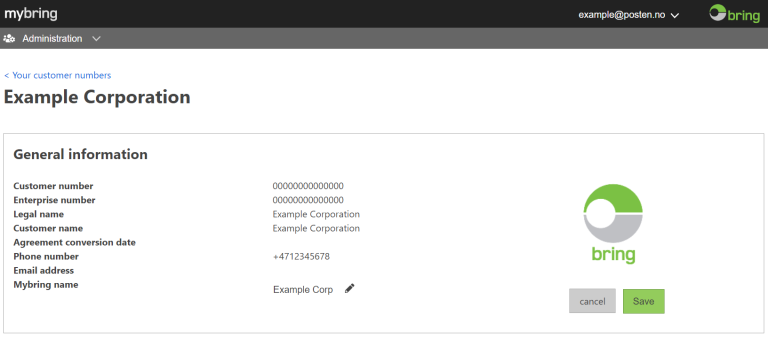
Check that your logo has been uploaded by returning to the homepage and opening the customer administration page again. If you see the logo there, it has been saved to our website.
Do you have any good ideas about where you would like to see your logo? Send us a suggestion via the feedback function in Mybring.